

Continent Map Generator vs Hand-Drawing: When AI Saves Time
I benchmarked Inkarnate, Wonderdraft, and an AI continent map generator across 40+ maps over 3 years. Here's where hand-drawing wins and where AI saves hours.
$600 on Inkarnate subscriptions. $30 on Wonderdraft. Fourteen months running a continent map generator as my primary mapping tool. Somewhere north of 40 continent maps across all three — and I still see DMs on r/worldbuilding asking which approach is "best" as if there's one answer.
There isn't.
I've tested hand-drawing, AI generation, and a hybrid of both across 340+ sessions of campaign maps. What I found is that each approach dominates a specific use case — and most DMs pick the wrong one for what they actually need. Here's what the data looks like when you strip out the hype.
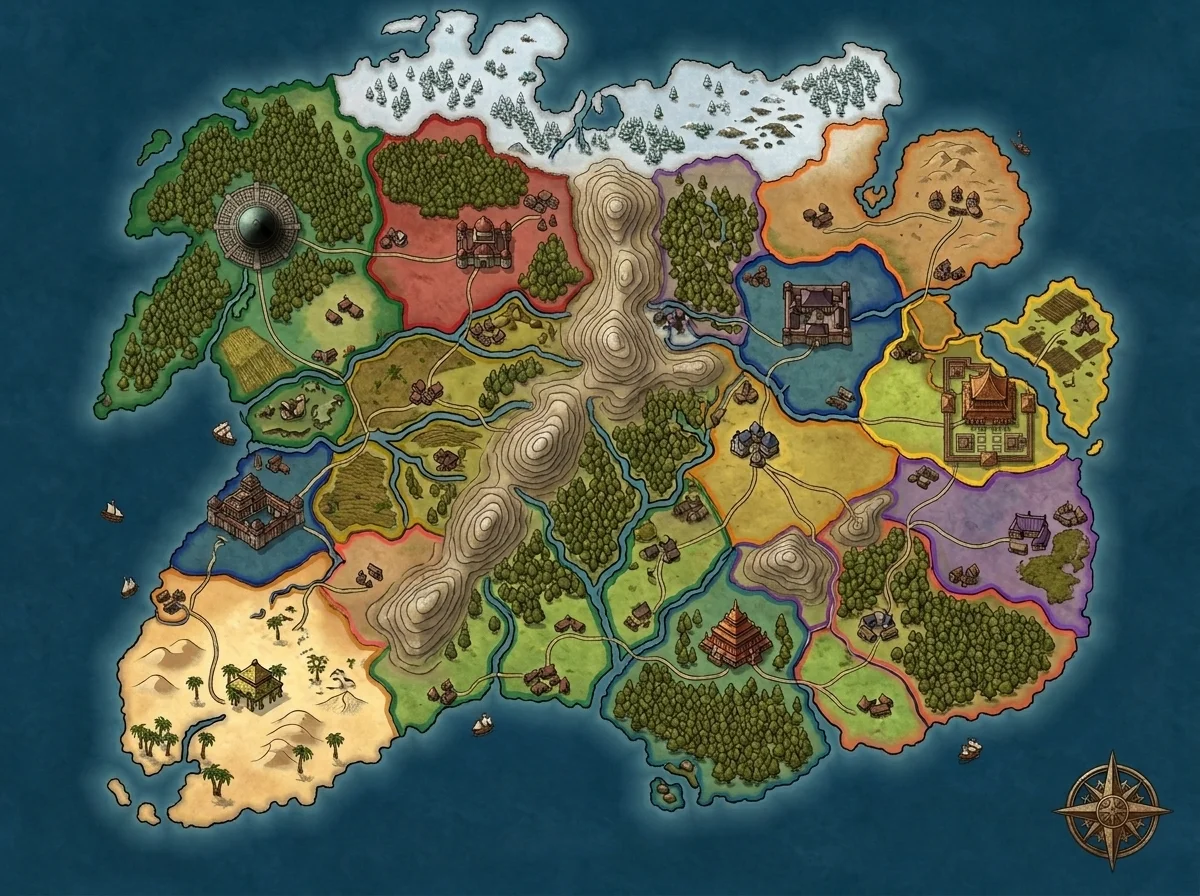
The Three Approaches I Tested
Hand-Drawing: Inkarnate and Wonderdraft
Inkarnate is a browser-based map editor with drag-and-drop assets — mountains, forests, cities, borders. I paid $25/month for roughly 2 years. The asset library is massive, the community showcase maps are genuinely impressive, and for a patient cartographer the quality ceiling is high.
Wonderdraft is a one-time-purchase desktop app ($30) that leans more toward traditional cartography. I bought it, made one continent, and never opened it again. Not because it's bad — the output quality is excellent — but because the learning curve front-loads 4–6 hours before you produce anything usable.
For DMs who want a proper continent map maker where they control every coastline, mountain, and border, these tools are still the gold standard.
AI Generation: FantasyGen's Continent Map Generator
FantasyGen's continent map generator takes a text prompt — 15 to 30 words describing geography — and produces a complete continent in 60–90 seconds. I've used it as my primary tool for 14 months now.
The output isn't a blank canvas. It's a continent with coastlines, terrain distribution, and geographic logic already built in. The trade-off is control: you can't drag individual mountains or reposition a specific river. You describe what you want and evaluate what you get.
Hybrid: AI Base, Manual Refinement
The third approach — and the one I default to for campaign-defining maps — generates a continent with AI first, then refines it manually. Export the output, pull it into Inkarnate or a basic image editor, and adjust the 20% that needs human attention. Speed of AI, precision of manual work.
Head-to-Head: The Numbers
Here's what 3 years of testing compressed into one table looks like.
| Category | Hand-Drawing (Inkarnate / Wonderdraft) | AI Continent Generator (FantasyGen) | Hybrid |
|---|---|---|---|
| Time per map | 4–12 hours | 1–5 minutes | 30–90 minutes |
| Cost | $25/mo (Inkarnate) or $30 one-time (Wonderdraft) | Free tier available; Pro plans from $9/mo | Existing tools + AI |
| Learning curve | 4–6 hours minimum | Near zero | 2–3 hours |
| Customization | Pixel-level control | Prompt-level control | Best of both |
| Quality ceiling | Very high (showcase-level) | High (consistent, not artisan) | Very high |
| Style consistency | Varies with skill and asset packs | High — same rendering engine | High |
| Best for | Published maps, portfolios | Session prep, rapid iteration, blank continent maps | Campaign-defining maps worth 60+ min |
These aren't theoretical numbers. My fastest Inkarnate continent took 4 hours 20 minutes. My slowest FantasyGen continent — where I regenerated 11 times chasing a specific coastline — took 8 minutes total.
When Hand-Drawing Wins
Published or Commercial Maps
If you're making a map for a Kickstarter, a published module, or a portfolio piece, hand-drawing wins decisively. Inkarnate's asset library gives you the fine control that makes maps look like they belong in a hardcover sourcebook. The r/worldbuilding showcase posts that hit 2,000+ upvotes are almost always hand-drawn or hand-painted.
You need that level of control when every pixel serves a purpose and the map itself is the product.
Maps That Demand Exact Asset Placement
Some campaigns require precise positioning — a fortress at the tip of a specific peninsula, a city at an exact river confluence. A continent map generator lets you describe this in a prompt, but if the output misses by 10%, you regenerate. In Inkarnate, you drag the asset. Done.
When AI Saves Hours
Session Prep Under Time Pressure
This is where a continent map generator earns its keep. Wednesday night, your players are sailing to a new landmass next session, and you have 45 minutes of total prep time. You're not opening Inkarnate for that.
I've generated continent maps during session breaks — literally between combat and roleplay — when players sailed somewhere I hadn't prepped. Three prompts, pick the best coastline, drop it into the VTT. Total elapsed time: under 4 minutes.
Rapid Iteration and Exploration
I generated 11 variants of an eastern continent before finding the right coastline for The Shattered Coast. In Inkarnate, each variant would have been a multi-hour session. With FantasyGen's continent map generator, those 11 variants took 11 minutes.
AI generation shines when you don't know exactly what you want yet. The continent generator becomes a brainstorming partner — describe a vague geographic concept, evaluate the output, refine the prompt. That loop runs 60–90 seconds per iteration. In hand-drawing tools, every iteration costs hours.
Blank Continent Maps for Sandbox Play
When I need a blank continent map — raw geography with no labels, no borders, no political markers — AI is dramatically faster. I want coastlines and terrain that imply story, not a finished cartographic product. Players fill in the details through exploration.
My workflow for mapping a continent in under an hour covers this in detail: generate raw geography, name 3–5 features, leave the rest blank.
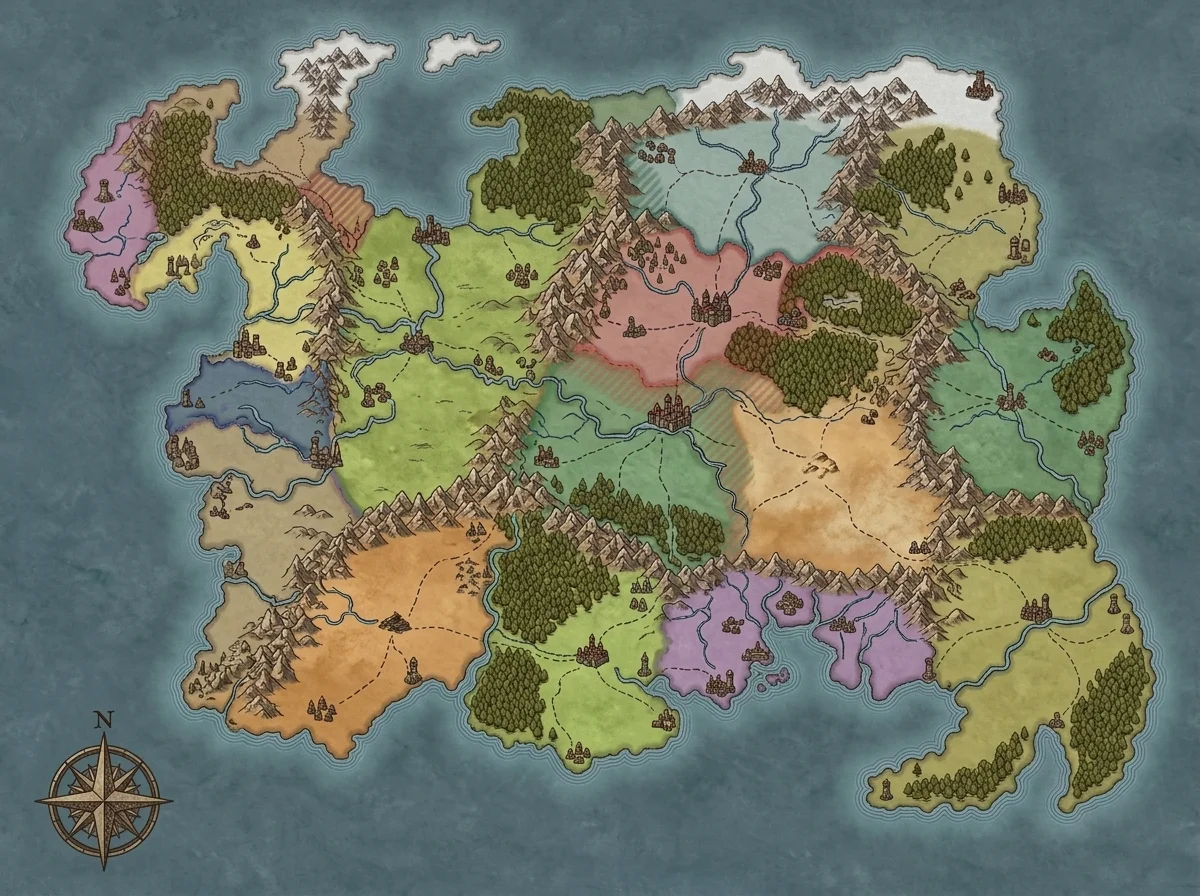 Eleven kingdoms, varied terrain — generated in under 90 seconds. Political boundaries implied by geography, not drawn by hand.
When Hybrid Is the Real Answer
Most of my campaign-defining continent maps are hybrid now.
I generate the base geography in FantasyGen. AI handles coastlines, mountain placement, and terrain distribution — the macro-level work that takes 3–4 hours by hand but 90 seconds by prompt. Then I export and do targeted manual refinement: repositioning a key city, adding a trade route between two civilizations, labeling the regions my players will visit first.
Mike Shea at Sly Flourish talks about session-focused prep — doing enough work to run the next session well, not enough to write a sourcebook. Hybrid continent mapping is the cartographic version of that idea. AI does 80% of the structural work. You spend your time on the 20% that makes the map yours.
Understanding why terrain generates where it does sharpens both your prompts and your edits. A fantasy continent geography guide helps bridge that gap — real-world geographic logic makes AI output more believable and manual corrections faster.
My Shattered Coast campaign map started as a 23-word prompt and got 30 minutes of manual refinement. It's run for 47 sessions and counting.
What $630 of Testing Taught Me
I used Inkarnate for session prep maps. Two years of subscription ($25/month × 24 months = $600) for maps that needed to be functional, not beautiful. I was using a precision instrument for a utility job. Most of those continent maps could have been AI-generated in minutes.
I wrote off AI generation after one bad output. My first AI continent looked generic. So I dismissed the entire category for 6 months. What I actually needed was better prompts — "fantasy continent" produces clip art, but "jagged western fjords, central volcanic plateau, three coastal city-states on an inland sea" produces something campaign-ready.
Switching tools costs more than the price tag. The $30 I spent on Wonderdraft wasn't the real cost. The real cost was 45 minutes not finding the right brush, getting frustrated, and going back to Inkarnate. Every tool comparison that lists only dollar amounts is lying to you about the actual switching cost.
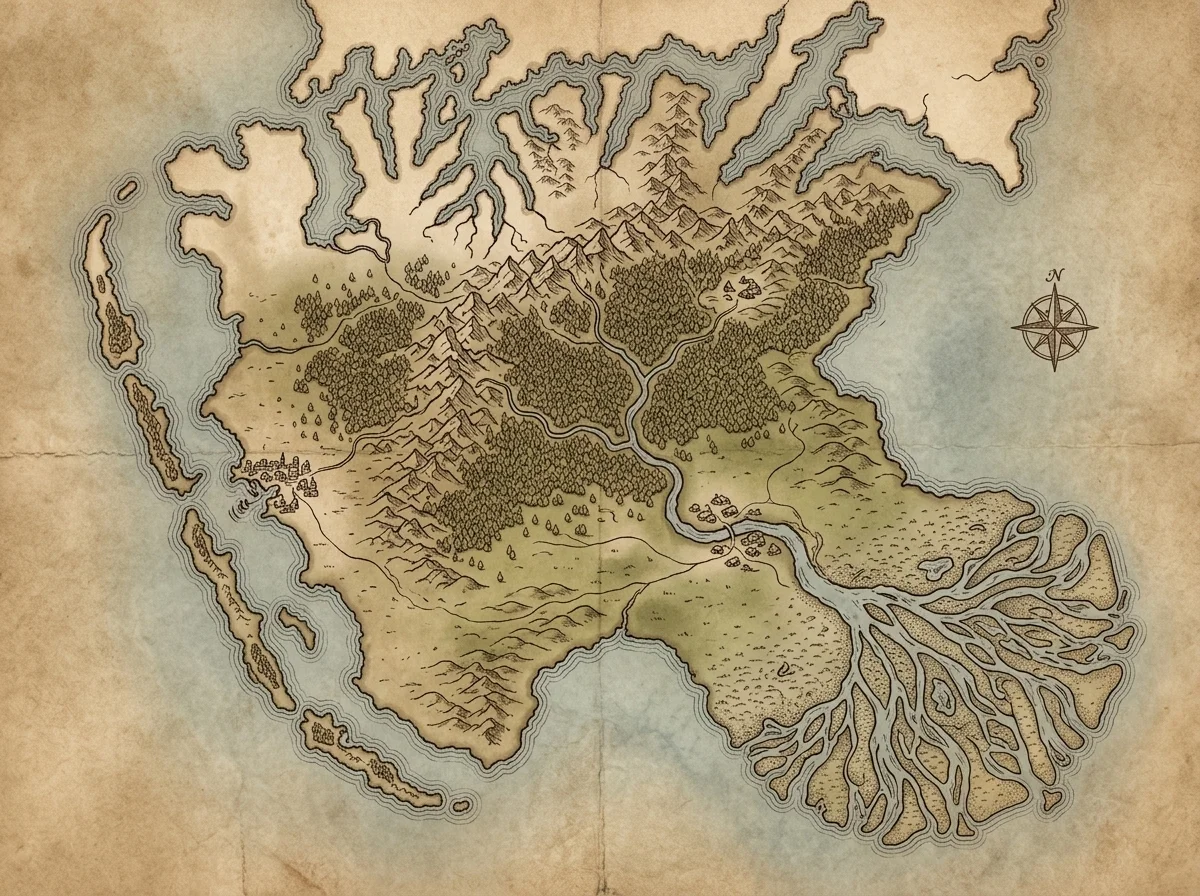 Coastal detail like this takes 2+ hours to hand-draw. AI generates comparable shoreline variety in under 90 seconds.
Three Scenarios That Change the Math
Existing IP campaigns. If you're mapping Faerûn, Exandria, or another published setting, you need hand-drawing tools with reference overlays. AI generators don't reproduce copyrighted geography accurately.
Collaborative worldbuilding. If your table builds the world together session-by-session, you need a tool everyone can edit simultaneously. Inkarnate Pro supports shared editing. AI continent generation is a single-user workflow.
Print-at-scale maps. Maps destined for 24×36-inch poster prints need resolution that AI generators don't consistently deliver at. Hand-drawing tools export at whatever resolution you build at.
QUICK REFERENCE — WHICH TOOL FOR WHICH JOB

HAND-DRAW (Inkarnate / Wonderdraft)
  → Published modules, Kickstarter maps
  → Pixel-level asset placement
  → Collaborative / shared editing
  → Print-at-scale (24"+ posters)

AI GENERATE (FantasyGen continent map generator)
  → Session prep under 30 minutes
  → Rapid iteration (10+ variants fast)
  → Blank continent maps for sandbox play
  → One-shots and convention games

HYBRID (AI + Manual)
  → Campaign-defining maps worth 30–90 min
  → Geography nailed, labels need adjusting
  → When AI hits 80% and you refine the rest
The tool debate is a distraction. The real question is: what does this specific map need to accomplish?
If the answer is "impress an audience," hand-draw it. If the answer is "be ready by Wednesday," generate it. If the answer is "anchor a 50-session campaign," generate the bones and refine by hand.
I've made maps all three ways. The continent my players talk about most took 47 minutes. The one I'm proudest of took 6 hours. They're not the same map — and they shouldn't have been made with the same tool.
Start with the deadline, not the tool.
Related Reading
- AI Continent Map Generator — Generate continent-scale maps from text prompts in under 90 seconds.
- How I Map a Continent in Under an Hour — The full workflow for going from blank prompt to playable continent map.
- Fantasy Continent Geography Guide — Real-world geographic logic applied to AI continent prompts.
- I Built a Fantasy World in 3 Hours — From continent to session-ready campaign in one sitting.

Written by
Toby
Indie Developer & Creator of FantasyGen
Toby is an independent developer focused on building AI-powered creative tools. He created FantasyGen to help game masters and worldbuilders generate fantasy maps instantly — no artistic skills required.
Continue the Campaign
Continent Names That Don't Sound Like Random Syllables
5 naming techniques that turn random syllables into continent names your players remember — root blending, geographic anchors, historical echoes, and more.
Fantasy Continent Design: Rivers, Mountains, and Why Geography Matters
I used rain shadows, river confluences, and real geology to build a fantasy continent that felt alive. Here's how geographic logic transforms your world maps.
Blank Continent Maps: Why Starting Empty Beats Starting Full
A blank continent map isn't lazy — it's strategic. Why 60% empty space creates better campaigns, and the progressive disclosure framework I use every session.